Step-by-Step Guide to Selling Grain and Placing Working Orders in the GCC App
Nov 06, 2026
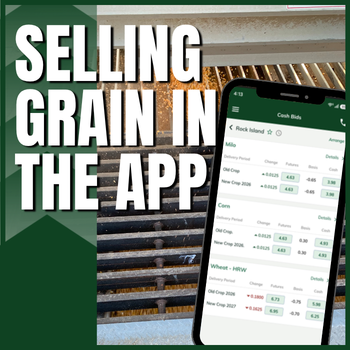
Grain marketing is easier than ever with the GCC mobile app. Customers can sell grain and participate in overnight trading right from their phone. Don’t have the GCC mobile app yet? Contact the Grain Team for an invitation to get started!
How to Sell Grain and Place Working Orders Using the Mobile App
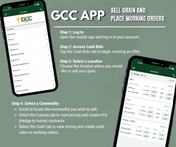
Step 1: Log In
Open the mobile app and log in to your account.
Step 2: Access Cash Bids
Tap the Cash Bids tab to begin creating an offer.
Step 3: Select a Location
Choose the location where you would like to sell your grain.
Step 4: Select a Commodity
Scroll to locate the commodity you wish to sell.
- Select the Futures tab to view pricing and create HTA (Hedge-to-Arrive) contracts.
- Select the Cash tab to view pricing and create cash sales or working orders.
Step 5: Complete Your Offer
After selecting the desired commodity, the offer screen will appear. Enter the following information:
- Delivery Method
- Price
- At the Market (if applicable)
- Quantity
- Expiration Date
- Payment Option (if filled)
Step 6: Review and Confirm
Carefully review all offer details. Once everything has been verified, tap Confirm.
Step 7: Submit Your Offer
The confirmation screen will display all offer information for a final review. If everything is correct, tap Submit Offer.
Step 8: Offer Review
After submission, your offer will appear with a Pending status until it has been reviewed by one of our Grain Buyers. Once reviewed, the status will be updated accordingly.
The app keeps important information at your fingertips, with easy access to tickets, commodity balances and open contracts—all in one place.
For questions or more information, please contact the Grain Team today!Click the Image for a PDF Step-by-Step Guide